Snap your meal. It does the rest.
Take a photo, check what it found, tap Add. Food, training, weigh-ins, before-and-afters and Instagram-ready stories, all in one app on your phone.
Snap a meal · Pro
One photo, and lunch is logged
The AI finds every food on the plate and how much of it. You just check and add.
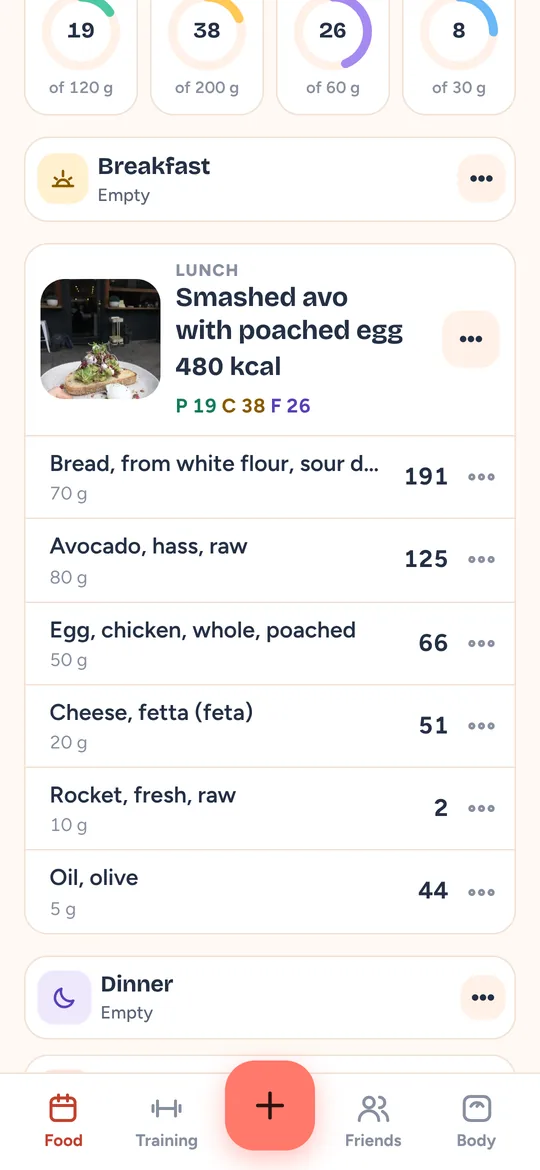
- Take a photo of your meal.
- Wait about two seconds while the AI finds each food and its weight.
- Scroll through what it found. Change an amount if you like.
- Tap Add. It’s in your diary as one meal, with each ingredient and its calories.
Say it · Pro
No photo? Just say what you had
Talk the way you’d tell a mate. It splits it into foods and amounts for you.
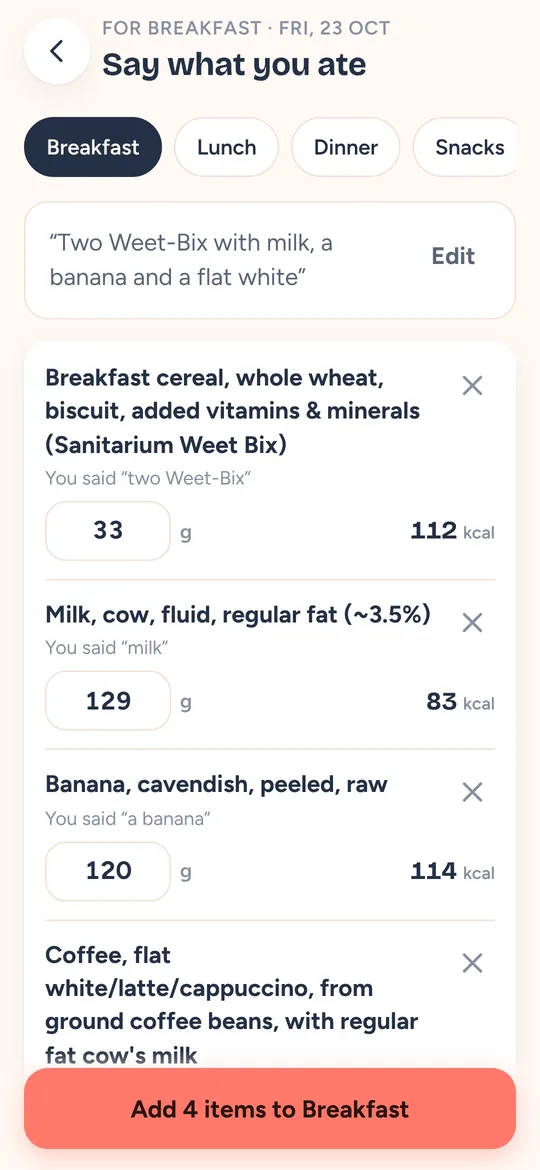
- Tap and talk: “Two Weet-Bix with milk, a banana and a flat white.”
- Each food is matched with a sensible amount.
- Tap Add. Breakfast is done.
Scan a barcode
Packaged food in one scan
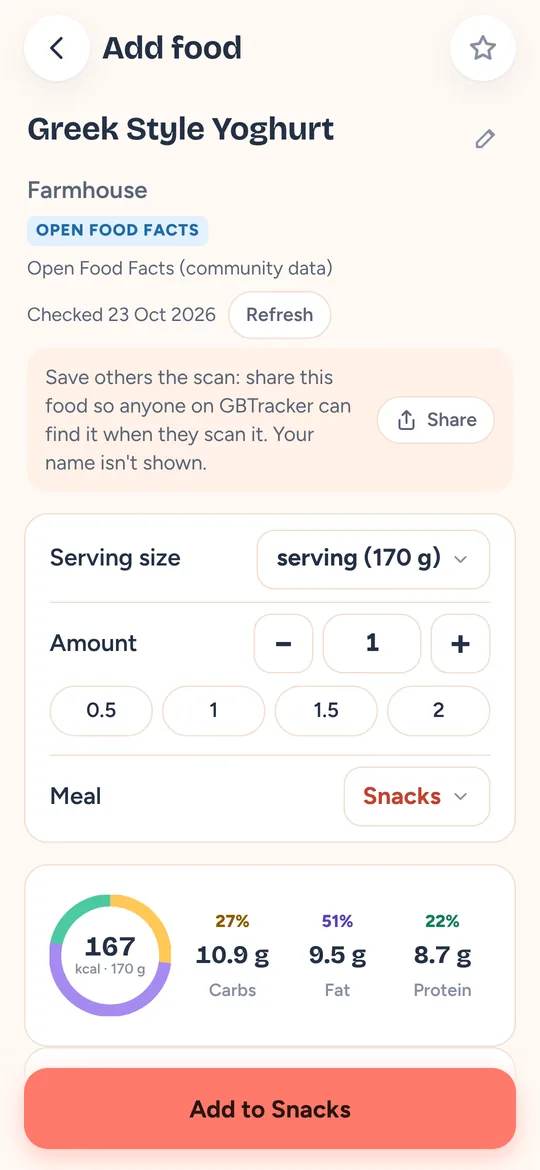
Point the camera at the barcode and the product opens with its serving size.
- Point the camera at the barcode.
- The product opens with a serving already picked.
- Tap Add. Scanned it before? It opens instantly, even offline.
Train
Tick a set, the rest timer starts
Today’s session is waiting, filled in with last week’s weights.
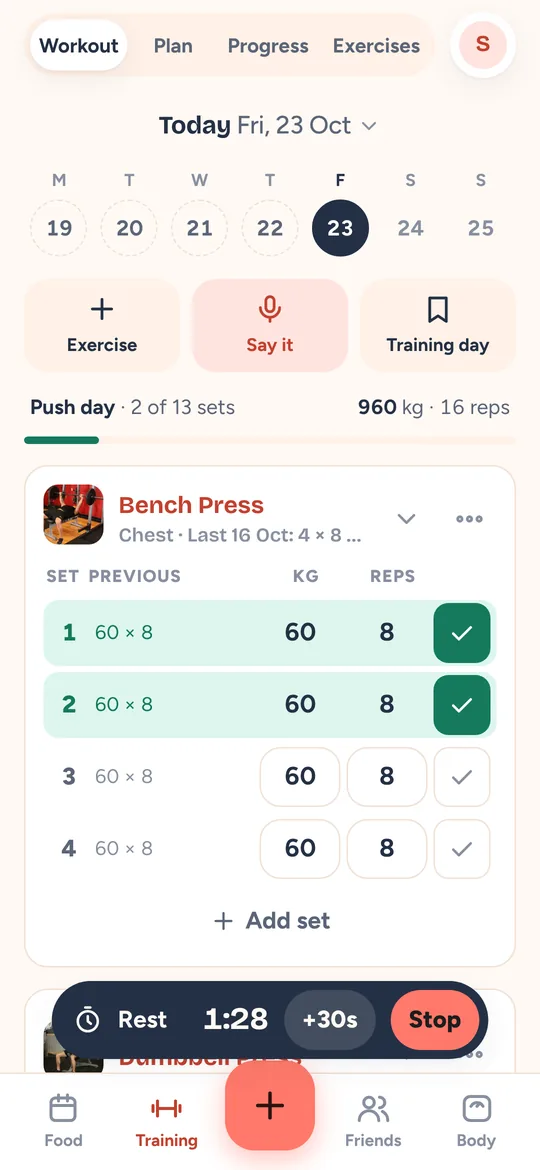
- Open Training and tap Start workout.
- Do the set, tick it. The rest timer starts on its own.
- Repeat. Next week’s session starts from today’s numbers.
Lifting Reels
Turn a set into a Reel
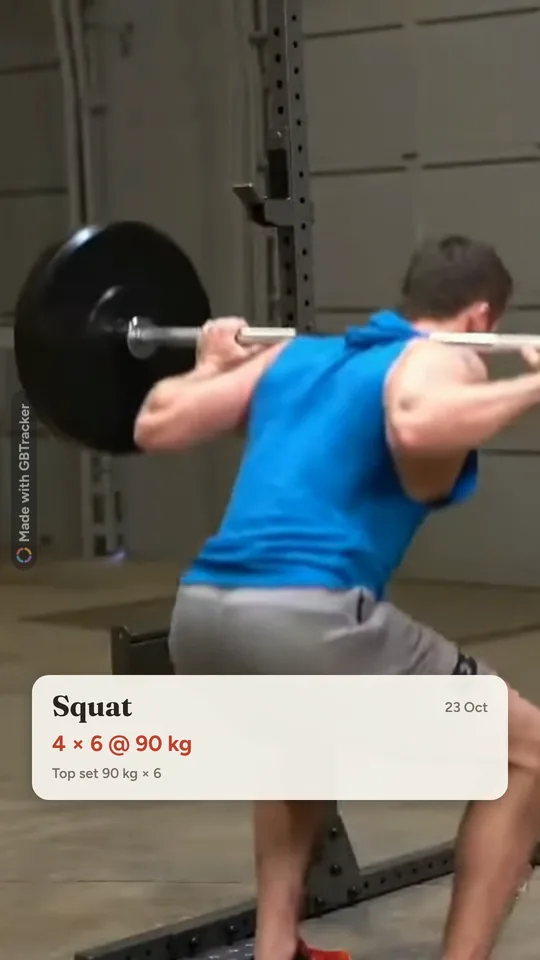
Film your lift and GBTracker puts the exercise, sets and weight over the top, sized for Instagram Reels and Stories.
- Film your set from the workout screen.
- Tap Make a Reel. Your sets and top weight go on the video.
- Share it straight to Instagram, with a caption ready to paste.
Weigh in
See the real trend, not the daily noise
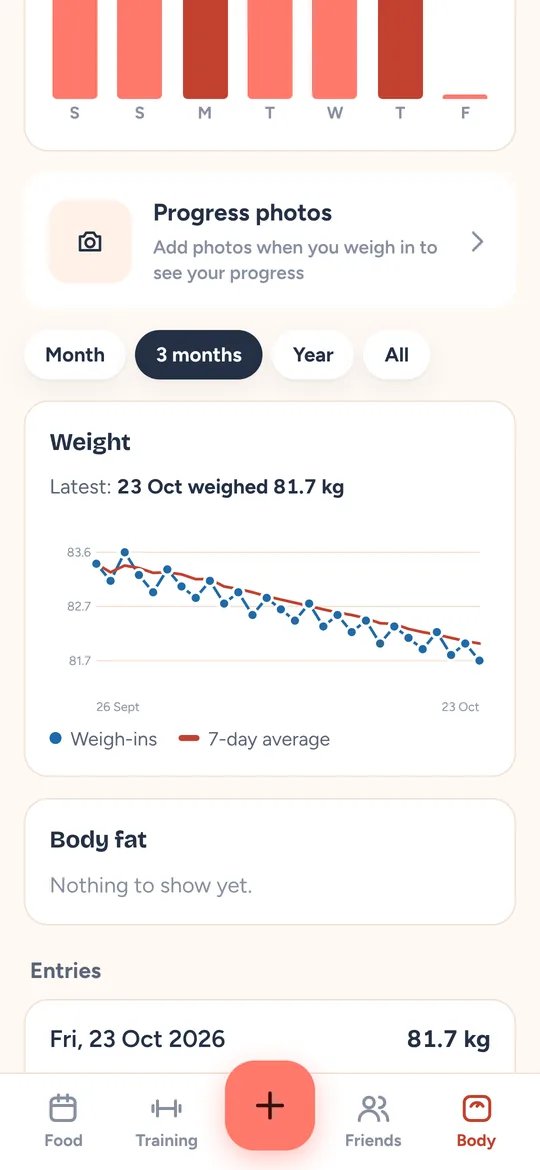
A 7-day average smooths out water and salt, so one big dinner doesn’t wreck the line.
- Tap Log and type your weight.
- Save. Add progress photos there too if you like.
- Watch the average head where you want it.
Before & after
Your before and after, side by side
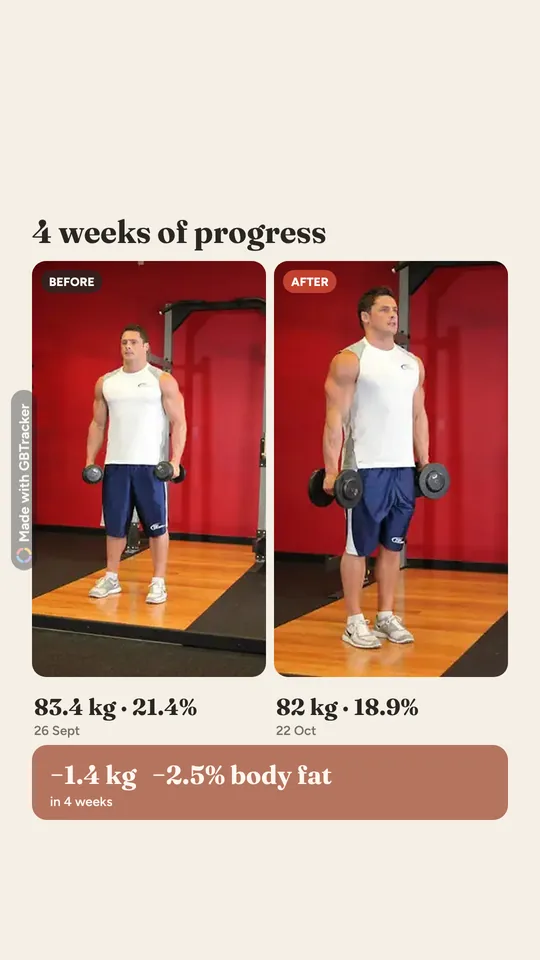
Pick two progress photos and GBTracker lines them up with your weight and body fat from each day.
- Open Body and tap Progress photos.
- Pick a before and an after. The weights and dates come with them.
- Choose Story, Post or Reel and share it to Instagram.
Meal stories · Pro
Post your meal with the macros on it
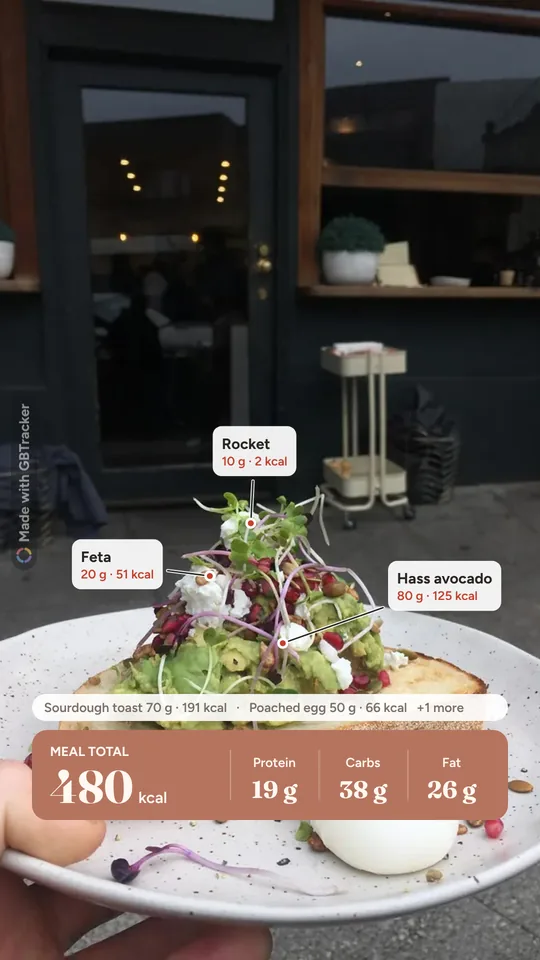
Turn a meal you logged into an Instagram story: your photo, each food labelled with its calories, and the meal’s totals.
- Open a meal in your diary and tap Make a story.
- Pick a layout. The foods are labelled on your photo for you.
- Copy the caption with the foods and hashtags, and share.
Friends
Had the same as a mate? Copy it
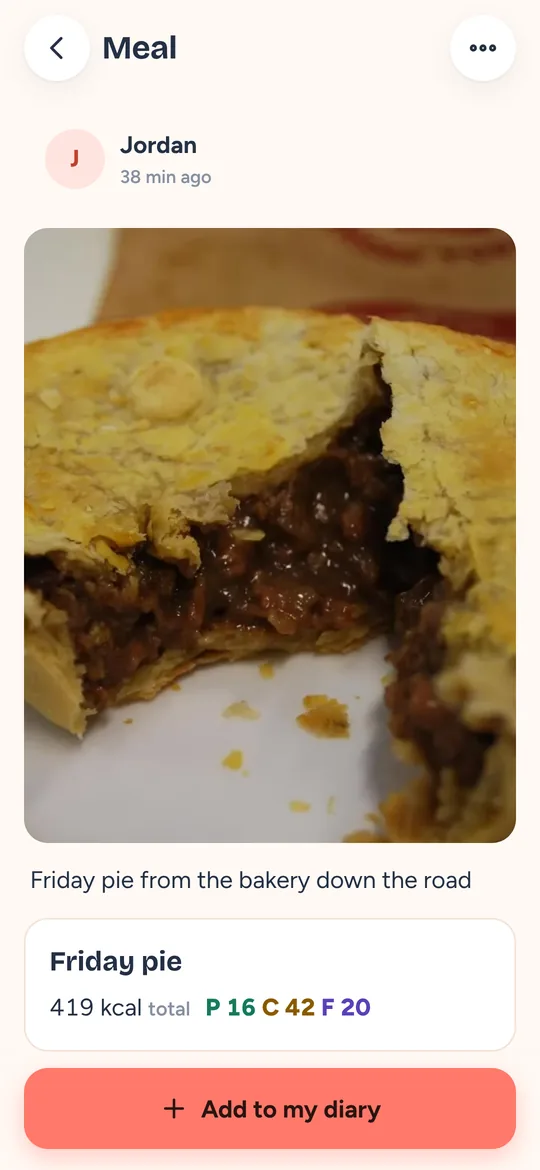
See the meals your friends post, and add one to your own diary in two taps.
- Open Friends and tap a post.
- Tap Add to my diary and pick the meal.
- Done. Every food and its calories come with it.
Free to track. Pro to make it effortless.
Try every Pro feature free for 2 weeks. We remind you before it ends, and you can cancel in two taps.
Free
Everything you need to keep a food and training diary.
A$0 forever
- Food diary: search 1,588 Australian foods and scan barcodes
- Training log, weigh-ins and progress photos
- Before-and-afters and lifting Reels, with a small GBTracker tag
- Friends feed, recipes and sharing
GBTracker Pro
Log a meal in seconds with a photo, a label or your voice.
A$89.99 a year
That’s A$7.50 a month. Or A$14.99 monthly.
- Everything in Free, plus:
- Snap a meal and the foods are added for you
- Read nutrition labels from a photo, and log by voice
- Look up products and exercises on the web
- Meal stories, and no “Made with GBTracker” tag on what you share
No payment today · Cancel any time
Prices in Australian dollars, including GST. In the US, Pro is US$59.99 a year or US$9.99 a month; other countries pay the local App Store price. In the iPhone app, Pro is bought through your Apple Account, renews automatically until you cancel in your Apple Account settings, and works on the website too when you sign in.
Questions
Snap your next meal
Open GBTracker on your phone. Your first log takes about ten seconds.